

By GREEN STUFF
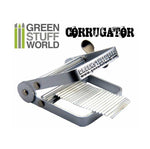
GREEN STUFF WORLD Corrugator
Regular price
€10,45 EUR
Regular price
Sale price
€10,45 EUR
Unit price
Tax included.
Shipping calculated at checkout.
Couldn't load pickup availability
Manufacturer:
GREEN STUFF
Availability:
Low stock: 1 left
Reference:
1351
EAN:
Estimated Shipping Time:
Immediate
Regular price
€10,45 EUR
Regular price
Sale price
€10,45 EUR
- The corrugator tool is a specialized device made of aluminum for manufacturing scaled-down corrugated sheets. These sheets mimic the appearance of real-world corrugated sheets, commonly used in construction and industrial settings. This ingenious device allows you to easily produce scaled-down corrugated sheets up to 7.5 cm wide, adding an authentic touch to your projects.
- The corrugator works by pressing a thin metal sheet, such as flexible tin for model making, into a wavy pattern, providing model builders and hobbyists with a simple and effective way to add realism to their creations.
- Using the corrugator is quite simple. Here's a step-by-step breakdown of how it works:
- Choose your material: Start by selecting a suitable material. Various types of cardboard can be used, but flexible metallic sheets, such as flexible aluminum foil, will always be the winner for the realism they convey. These materials are flexible and ideal for achieving the desired wavy effect.
- Preparation: Cut the material. Adjust the rollers or other set to accommodate the width of the chosen material.
- Insert the material into the corrugator: Carefully insert the chosen metal sheet, ensuring that it is correctly aligned and centered to achieve uniform corrugation.
- Turn the crank: Activate it by turning or rolling the crank. Turning the crank will imprint a corrugated pattern on the metal sheet, creating a realistic texture.
- Cut and shape: Once you have finished adding the texture to the entire length of the material, carefully cut and shape it to fit the needs of your project.
- Choose your material: Start by selecting a suitable material. Various types of cardboard can be used, but flexible metallic sheets, such as flexible aluminum foil, will always be the winner for the realism they convey. These materials are flexible and ideal for achieving the desired wavy effect.
- Remember that whether you stretch or compress it, accordion effect, you can slightly modify the width of the texture, making it closer to the size of one scale or another, and therefore usable for different scales of model making.